The Mistakes Customer Support Teams Make With Meta Business Partner Integration
Your support team treats Meta Business Partner integration as a launch task, then moves on. Meanwhile WhatsApp template rules change, quality ratings dip, and Instagram DMs pile up in a separate inbox nobody owns. For a closer look at the options in this space, see Whatsapp Business API.
This article breaks down the mistakes support teams make after integration goes live, from fragmented channels to premature automation and unverified partner status. You will learn what to check before committing to a partner and how to build a practical checklist that keeps messaging windows, delivery rates, and team roles under control.
What "Meta Business Partner Integration" Actually Requires of Support Teams
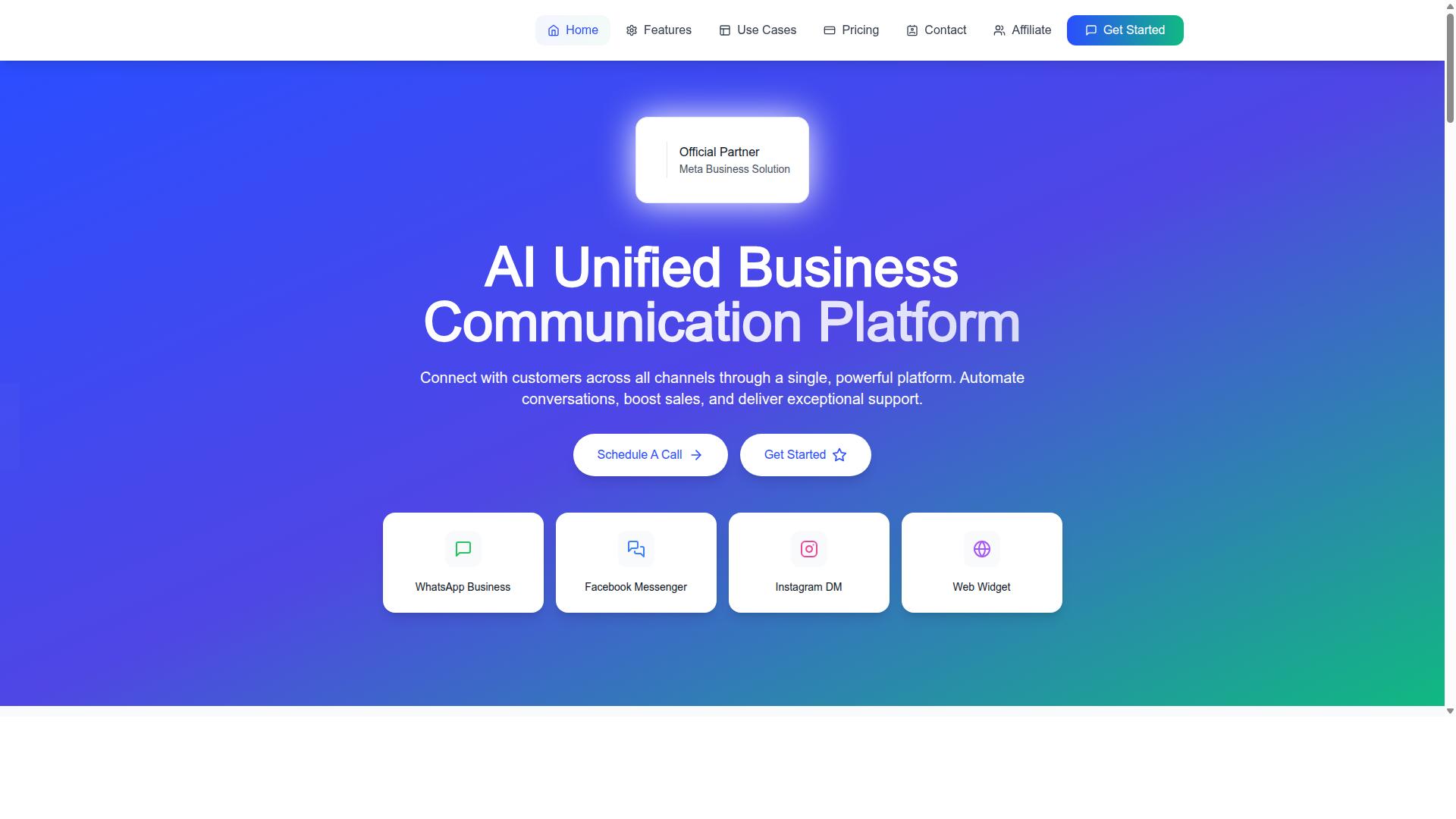
A Meta Business Partner integration is not a single API key you paste into a dashboard; it is a contractual and technical relationship that reshapes how your support team handles authentication, message routing, and escalation.
Partner status brings direct access to Meta's APIs, priority review queues, and a set of compliance obligations that come with that access. Those benefits are real, but they arrive attached to responsibilities that most support organizations are not staffed to own.
Once the integration is live, the support surface area expands well beyond answering chats. Your team is now responsible for token lifecycles, webhook health, and policy adherence across every connected channel.
Consider how these failures actually surface:
- A webhook stops firing at 2 AM, and inbound messages queue silently until someone notices the next morning.
- An access token expires mid-campaign, cutting off ad-driven conversations at peak volume.
- A rate limit quietly drops messages, so customers believe they were ignored when nothing ever reached your inbox.
None of these look like traditional support tickets at first. They look like sudden spikes in complaints about slow responses, missing replies, or broken handoffs. The integration layer is part of the support surface area, and treating it as pure engineering leaves your team diagnosing symptoms instead of causes.
Why Teams Misread the Scope of a Partner Integration
Most support leaders assume a partner integration is a one-time engineering task, but the scope includes ongoing token rotation, permission audits, and business verification maintenance.
Three specific misreadings cause the most damage. First, teams believe "partner" means Meta handles compliance for them. It does not. Your organization remains accountable for how data is collected, stored, and used. Second, teams assume access tokens never expire. They do, and the expiry often lands at the worst possible moment.
Third, teams ignore that permission scopes must be re-approved when features change. Add a new messaging channel or catalog capability, and previously granted permissions may no longer cover the new behavior.
A common real-world scenario: a team launches a campaign, but the system user token was tied to a departed employee. The token gets deactivated during offboarding, and the result is a full messaging outage during the highest-traffic week of the quarter. Nobody flagged the dependency because no one owned it.
The hidden responsibilities that come with partner status include:
- Managing app review submissions and keeping them current as features evolve.
- Monitoring webhook subscription health, including silent failures and dropped events.
- Keeping business verification documents up to date so access is not suspended.
- Auditing permission scopes and system user tokens after any staffing change.
- Tracking rate limits and error logs to catch message loss before customers report it.
Assigning clear ownership to each of these items is what separates teams that catch problems early from teams that discover them through angry customers.
Mistake: Treating Integration as a One-Time Setup Instead of an Ongoing Process
Meta's messaging policies, template approval rules, and 24-hour customer care windows change quarterly, so an integration that worked in January can silently fail in April. Support teams that treat Meta Business Partner Integration as a launch project rather than a living system often discover problems only when customers complain about missing messages.
The core issue is that Meta's platform is a moving target. Approval criteria, permission scopes, and delivery rules shift as the company responds to regulation, spam pressure, and regional privacy laws. An integration built around a fixed snapshot of those rules will drift out of compliance over time.
Common warning signs include templates that suddenly stop delivering, webhook events that arrive but go unprocessed, and access tokens that expire without anyone noticing. None of these produce loud errors. They fail quietly, which is what makes the set-and-forget approach so risky.
Support teams need a maintenance rhythm, not a one-time checklist. That means subscribing to Meta developer changelogs, re-validating message templates on a schedule, and adjusting automation flows whenever messaging windows shift. Treating these tasks as ongoing operations, rather than a project phase that ends at go-live, keeps delivery reliable.
Ignoring Meta Policy Updates, Template Rules, and Messaging Windows
When Meta tightened its template categorization rules in 2023, thousands of support teams saw their utility templates reclassified as marketing, triggering higher rejection rates and delivery delays. A template previously approved for order updates could be rejected after a policy change, causing failed notifications that customers never received.
The fix starts with assigning a clear owner for platform compliance. One person, or a small rotation, should review Meta's developer blog and policy pages weekly and flag anything that touches live integrations.
Beyond ownership, teams need tracking and testing habits. A template approval tracker keeps every message, its category, and its current status visible. Sandbox testing before production catches rejections early, when they are cheap to fix.
- Verify the template category matches its actual use case, not just its wording.
- Ensure opt-in language is clear and documented for each messaging channel.
- Monitor quality ratings after every send and pause templates that trend downward.
- Set calendar reminders for messaging window changes, such as WhatsApp's 24-hour customer service window.
- Re-check permission scopes and token expiry dates during each review cycle.
These steps also support data privacy compliance. GDPR, CCPA, and user consent requirements evolve alongside messaging rules, so consent records and opt-out handling deserve the same recurring review as templates.
When a rejection does occur, teams should log the reason, adjust the automation flow, and re-submit rather than route around the problem manually. Manual workarounds hide the defect and delay the permanent fix.
Mistake: Fragmenting Channels Instead of Unifying Them
Customers often start a conversation on Instagram, continue on Messenger, and expect a resolution on WhatsApp, but if your support team uses three separate inboxes, that context is lost at every hop. Each tool holds only a slice of the conversation, so the customer ends up repeating order numbers, explaining the same problem, and growing more frustrated with every transfer.
This fragmentation is one of the most common mistakes customer support teams make after completing a Meta Business Partner Integration. The technical connection may work, yet the operational setup keeps WhatsApp Business API, Messenger integration, and Instagram messaging in disconnected queues. Agents see a ticket, not a person.
The cost shows up in three places:
- Higher handle time, because agents spend the first minutes reconstructing what the customer already said elsewhere.
- Repeated customer effort, which research consistently links to lower satisfaction and higher churn intent.
- No end-to-end measurement, since resolution metrics live in separate dashboards that never reconcile.
Unifying channels does not mean merging every conversation into one undifferentiated stream. It means giving each agent a single view with the full conversation history, regardless of where the message originated. The customer switches apps freely. The support team should not have to switch tools to follow them.
Why Siloed WhatsApp, Messenger, and Instagram Inboxes Break Context
A customer who messages your brand on Instagram and then on WhatsApp is the same person, but most support tools treat them as two unrelated tickets, forcing the customer to re-explain everything. Consider a concrete scenario: someone asks on Instagram about a delayed order, gets no reply within an hour, and follows up on WhatsApp. The WhatsApp agent sees a brand new contact with no order reference, no prior thread, and no indication that a colleague may already be handling it.
Behind that experience sit several technical failures that compound each other:
- Duplicate contact records, because each channel identifier is stored as a separate profile with no shared key.
- Broken CRM synchronization, since conversation history from one channel never reaches the customer record used by another.
- Blind agents, who cannot see prior interactions, promises made, or escalation status before they respond.
Meta's business tools do allow accounts to be linked, and a Meta Business Partner Integration can map channel identities together, but support teams must configure it correctly. Linking the accounts is the starting point, not the finish line.
Practical fixes follow a clear sequence. First, adopt a unified inbox that maps every channel identity, phone number, Instagram handle, Messenger profile, to a single customer profile. Second, sync conversation history to your CRM so the record survives agent turnover and channel switches. Third, train agents to check cross-channel context before responding, and build that check into your error handling and monitoring routines so missed context surfaces as a measurable event rather than a silent failure.
Teams that treat channel unification as a configuration task, not a one-time connection, close tickets faster and stop asking customers to tell their story twice.
Mistake: Over-Automating Before Nailing the Basics
Deploying a chatbot to handle every query before your knowledge base is accurate and your escalation paths are defined will frustrate customers faster than a slow human response. Automation does not fix broken processes. It amplifies whatever already exists, whether that is a clean support flow or a messy one.
Consider a bot trained on a refund policy that changed six months ago. It will confidently promise customers money back under terms that no longer apply, and the human agent who eventually inherits the conversation has to undo that damage. The same happens when your order status lookup depends on an unreliable API. The bot does not know the data is stale, so it reports a delivery date that never existed.
Looping is another quiet failure. A bot that cannot resolve a query but also cannot hand off will trap customers in a cycle of rephrased questions. Research suggests that repeated dead ends damage trust more than an honest "let me connect you with someone."
Before any automation goes live, support teams should map the core journeys that generate the most contacts. That usually means order status, returns, business hours, and account changes. Each journey needs a verified answer source and a clear exit to a human.
Testing matters just as much as mapping. Run the bot with real agents in a sandbox environment, not just with sample scripts written by the implementation team. Agents know the odd phrasings and edge cases that scripted tests miss. This connects directly to broader Meta Business Partner Integration pitfalls, where webhook misconfiguration or API configuration errors can silently break the data your bot relies on.
Where Bots Help and Where They Damage Customer Trust
Bots excel at instant answers to repetitive questions like store hours or order tracking, but they damage trust when they pretend to understand emotional complaints or complex billing disputes. The dividing line is complexity and emotional weight, not query volume alone.
High-volume, low-complexity tasks are the safe zone. These include answering FAQs, qualifying leads, and scheduling appointments. A bot that handles routine "Where is my order?" queries successfully frees agents for work that needs judgment. When the same bot attempts to resolve a chargeback complaint, it escalates frustration instead of reducing it.
A simple framework helps teams decide:
- Automate: repetitive questions with stable, verifiable answers
- Automate with caution: tasks that need account lookup but follow a fixed path
- Route to humans: billing disputes, complaints, cancellations, and anything emotionally charged
Building a reliable human handoff trigger is essential. Experts recommend escalating after two failed bot attempts, or immediately when sentiment turns negative. This applies across Messenger integration, Instagram messaging, and WhatsApp Business API flows alike.
Sentiment detection does not need to be perfect. Simple signals work: repeated profanity, phrases like "this is ridiculous," or a customer asking for a person more than once. Each of these should trigger a transfer rather than another automated reply.
Teams should also review handoff logs regularly. If certain intents consistently end in escalation, that is a signal the bot should not be handling them at all. Monitoring and logging turn these patterns into actionable fixes instead of invisible failures.
Mistake: Skipping Quality Checks on Message Delivery and Response Times
If you never monitor delivery receipts, opt-out rates, or quality ratings, you will discover a messaging outage only when customers complain on public social media. By then, the damage is already visible to everyone.
Meta treats messaging quality as a trust signal tied to your business phone number and page. When recipients block, mute, or report your messages, that signal degrades. A falling quality rating can trigger temporary messaging limits, throttled throughput, or a full pause on outbound notifications.
These penalties hit support teams hardest because messaging is often the primary channel for order updates, appointment reminders, and case follow-ups. Losing it means every routine interaction becomes a manual phone call or email.
Proactive monitoring is the fix. Track delivery rates, read rates, and quality scores inside Meta Business Manager on a fixed schedule, not just after something breaks. Treat these numbers as operational health metrics, the same way you would track ticket backlog or first response time.
Consider a scenario that plays out often. A support team drafts a broadcast to announce a policy change, schedules it for the morning, and never checks the number's quality rating first. The list includes contacts who opted in months ago and have since gone cold. Within hours, enough recipients block or report the message that the phone number is flagged. All notifications halt, including transactional messages customers actually want. The team learns about it from angry posts, not from a dashboard.
The lesson is straightforward. A quality check takes minutes. Recovering a restricted number can take days, and the lost trust is harder to rebuild than the technical fix. Monitoring is not optional overhead. It is the control that keeps your messaging channel alive.
Overlooking Delivery Failures, Opt-Outs, and Quality Ratings
A message that fails to deliver is not just a technical error. It may mean a customer never received a shipping update or appointment reminder, leading to a support ticket that could have been avoided.
Support teams should monitor four core metrics on an ongoing basis:
- Delivery rate: the share of outbound messages that reach the recipient's device
- Read rate: how many delivered messages are actually opened
- Opt-out rate: how many recipients block, stop, or unsubscribe
- Quality rating: Meta's assessment of how recipients respond to your messaging
Set up alerts for meaningful changes rather than watching dashboards passively. A sudden drop in delivery rate or a spike in opt-outs should page someone on the support operations team the same day, not surface in a monthly review.
Actionable steps make this manageable. Implement logging for every outbound message so you can trace what was sent, to whom, and when. Use webhooks to capture delivery status in real time instead of polling. Review opt-out reasons weekly and look for patterns, such as one campaign or template driving most of the exits.
High opt-out rates usually point to one of two problems: messaging that is irrelevant to the recipient, or opt-in practices that were never properly documented. Both can violate Meta policy, which raises the stakes beyond customer annoyance.
Data privacy compliance belongs in this same review. Under GDPR and CCPA, recipients need a clear way to withdraw consent, and your records should reflect when they did. If opt-out requests are not honored promptly, you risk both regulatory exposure and further quality damage.
The practical rhythm is simple. Check quality ratings before any broadcast. Watch delivery and read rates as leading indicators. Investigate opt-out spikes within days, not weeks. Teams that build this habit catch problems while they are still small, and they keep the messaging channel that customers depend on running without interruption.
Mistake: Choosing a Partner Without Verifying Status, Pricing, and Support
Not all 'Meta Business Partners' are equal. Some are official Meta partners with direct API access, while others are resellers with limited support and opaque pricing.
That distinction matters more than most customer support teams realize until something breaks. A reseller may sit between your team and Meta's APIs, which can slow down troubleshooting and leave you without a clear escalation path when a WhatsApp Business API or Messenger integration fails.
Official partner status is verifiable. Meta maintains a public partner directory, and any provider claiming partner status should appear there. If a vendor cannot be found, that is a red flag worth pausing on before any contract is signed.
Pricing is the second trap. Some vendors advertise a low base rate but layer on per-message charges, per-agent fees, or add-ons that only surface after onboarding. Ask for a full pricing breakdown in writing, including how messaging costs are calculated and whether any markup is applied on top of Meta's own rates.
Support quality is the third and most overlooked factor. Slow responses during an API configuration error or a webhook misconfiguration can stall your entire support operation. Before committing, ask about:
- Support channels available and their stated response times
- Escalation paths when a technical issue cannot be resolved at first contact
- Whether the vendor offers direct API access or routes through a middle layer
- Customer references you can contact directly
A simple pre-sales test works well here. Send a technical question about permission scopes or system user tokens and see how quickly and thoroughly the vendor responds. The answer tells you more than any sales deck.
Hidden fees, indirect API access, and sluggish support do not just annoy your team. They can cripple an integration that handles lead generation forms, CRM synchronization, or Instagram messaging at scale.
What to Check Before Committing - and How Com.bot Fits the Picture
Before signing with any integration partner, verify their Meta Business Partner status, ask for a clear pricing sheet, and test their support responsiveness with a pre-sales technical question.
A practical due diligence checklist looks like this:
- Confirm official Meta Business Partner status by checking Meta's partner directory directly, not just the vendor's website badge.
- Request a detailed pricing breakdown. Watch for per-message charges, per-agent fees, and add-on costs that appear only after the first invoice.
- Ask about support channels, response times, and escalation. A vendor that cannot describe its escalation path likely does not have one.
- Request a sandbox test. A sandbox environment lets your team validate the OAuth flow and webhook behavior before production traffic hits.
Com.bot is one example of a provider that meets these criteria. It holds official Meta Business Partner status and publishes its pricing openly: Silver at $149 per quarter, Gold at $349 per quarter, and Platinum V1 at $2500 per quarter.
Additional team members, social channels, external actions, bot triggers, and ecom store access are available as add-ons at $10 per month each. WhatsApp messaging is billed at actual Meta rates with no markup, which removes a common source of billing surprises.
Com.bot also offers dedicated support options billed hourly, at $49 per hour for WABA, CRM, and Inbox, and $99 per hour for Ecommerce, Bots, and Automations. For teams that need hands-on help during a complex integration, that clarity matters.
Beyond pricing and support, the platform includes a unified inbox, a visual bot builder, and native payments. For customer support teams handling Messenger integration, Instagram messaging, or WhatsApp Business API traffic, those capabilities reduce the number of tools stitched into the workflow.
The broader lesson applies regardless of vendor. Verify status, demand transparent pricing, and test support before you commit. The cost of skipping that diligence shows up later as stalled integrations and frustrated agents.
Mistake: Underestimating Team Training and Role Assignment
Even the most robust integration fails if agents don't know how to use the unified inbox, when to escalate, or how to interpret delivery errors. Teams often treat Meta Business Partner Integration as a technical project that ends at launch. In reality, it changes daily workflows across every support channel.
Training that covers only button locations misses the point. Agents need to understand how cross-channel history works, so they can see that a customer's WhatsApp message, Instagram DM, and Messenger inquiry are the same person. They also need to know how to tag conversations consistently, because messy tagging breaks reporting and routing later.
Bot handoffs deserve their own practice sessions. An agent who has never seen a failed handoff will freeze when a customer says the bot looped them three times. Rehearsing handoff scenarios before go-live prevents that panic.
Role clarity matters just as much as training content. Without named owners, tasks like token rotation, webhook health checks, and template approvals quietly fall through the cracks. A rotation missed by a day can take down messaging for an entire channel.
Assign explicit responsibilities rather than assuming someone will notice:
- Webhook health monitor: watches for failed deliveries and endpoint downtime
- Template approval owner: submits and tracks message templates through review
- Escalation lead: handles bot failures, permission errors, and angry customers
- Token and credential manager: schedules rotation for system user tokens and page access tokens
- Policy watcher: tracks Meta policy changes that affect messaging or data handling
A simple training plan keeps everyone current. Start with onboarding that walks through the unified inbox, cross-channel history, tagging conventions, and handoff procedures. Add weekly refreshers, short sessions focused on policy changes or recurring errors. Keep a shared playbook for common failures such as expired tokens, rejected templates, or webhook misconfiguration, so any agent can respond without waiting for a specialist.
When roles and training are treated as an afterthought, the integration may work technically while support quality drops. Customers feel the difference immediately, even if dashboards look green.
Mistake: Neglecting Data Security, Privacy, and Compliance
Storing customer conversations and access tokens without encryption or access controls is a compliance nightmare waiting to happen, especially under GDPR and CCPA. Support teams often focus on getting Meta Business Partner Integration to work, then treat security as an afterthought. That order of priorities creates real legal and financial exposure.
The most common failure is access token mismanagement. Developers paste page access tokens or user tokens directly into code repositories, shared documents, or chat threads. Anyone with repository access can then read messages, post on behalf of a page, or pull ad account data. Rotating credentials becomes nearly impossible once they are scattered across a dozen files.
Consent is another frequent gap. Teams connect WhatsApp Business API, Messenger, or Instagram messaging without confirming that customers agreed to receive messages. GDPR and CCPA both require a clear lawful basis for processing personal data, and Meta's own platform terms demand documented opt-in for business messaging.
Data retention rounds out the problem. Conversations, lead generation form submissions, and CRM synchronization records pile up indefinitely. Under GDPR's right to erasure, a customer can request deletion, and the team has no process to find or remove that data across systems.
Compliance obligations that support teams frequently overlook:
- GDPR: right to erasure, data minimization, and lawful basis for processing
- CCPA: right to opt out of the sale or sharing of personal information
- Meta platform terms: business verification, data handling rules, and possible audits
- Messaging consent: documented opt-in before sending WhatsApp, Messenger, or Instagram messages
Meta requires business verification for many integration features and reserves the right to audit how partners handle data. A failed audit or a reported privacy violation can suspend API access entirely, which halts support operations overnight.
Actionable steps to close these gaps:
- Replace personal tokens with system user tokens scoped to least privilege, granting only the permission scopes each workflow needs.
- Encrypt data at rest and in transit, including stored conversation logs and CRM synchronization payloads.
- Implement audit logs that record who accessed which customer record and when.
- Review access permissions on a regular schedule and revoke anything no longer in use.
- Build a deletion workflow that can honor erasure requests across every connected system.
Teams that treat security as part of the integration build, not a later cleanup, avoid the costliest mistakes. Locking down tokens, consent, and retention early protects both customers and API access.
A Practical Checklist to Avoid These Mistakes
Use this checklist to audit your Meta Business Partner integration before, during, and after launch. Treat it as a living document, not a one-time to-do list. Each item maps to a mistake that customer support teams commonly make, from rushed business verification to neglected webhook monitoring.
Assign a named owner to every item below. Without clear ownership, checklist items quietly stall. Review progress monthly and update the document as Meta's platform policies and your channel mix evolve.
- Verify partner status and pricing transparency. Confirm the partner's Business Partner status directly in Meta Business Manager. Ask for a written breakdown of fees, markup, and what happens if you leave. Vague pricing is a warning sign.
- Set up token rotation and permission audits. Replace long-lived tokens with system user tokens where possible. Rotate page access tokens on a schedule and audit permission scopes quarterly. Remove ad account permissions that no workflow actually uses.
- Unify channels into a single inbox. Route WhatsApp Business API, Messenger, and Instagram messaging into one queue. Fragmented inboxes are where SLA breaches and duplicate replies hide.
- Test automation with real scenarios before full rollout. Run sandbox testing with actual customer phrasing, not scripted happy paths. Include edge cases like order changes, refunds, and angry messages.
- Monitor delivery, opt-out, and quality metrics weekly. Track message delivery rates, opt-out trends, and channel quality ratings. A rising opt-out rate often signals a template or targeting problem.
- Train agents on cross-channel workflows and escalation. Document how a conversation moves from Instagram to WhatsApp to a human. Define clear escalation triggers and handoff rules.
- Implement data encryption and consent management. Encrypt data in transit and at rest. Capture and store user consent in a way that satisfies GDPR, CCPA, and Meta's own platform terms.
- Schedule quarterly policy reviews. Meta updates API rules, permission scopes, and messaging windows regularly. A quarterly review keeps you ahead of breaking changes.
Two items deserve extra attention because they cause the most damage. Token mismanagement can expose customer data or lock your team out entirely. Permission scope creep, where old integrations keep access they no longer need, is a quiet compliance risk.
Pair the checklist with a shared tracking sheet. List each item, its owner, its status, and the date last reviewed. When a webhook misconfiguration or rate limit violation occurs, log it against the relevant checklist item so the document learns from real incidents.
Finally, revisit the list after every major change. New channels, CRM synchronization updates, or a shift in your Meta Business Partner relationship all affect how the integration behaves. A checklist that stays current catches mistakes before they reach customers.
Recommended Resources: